LUX Mirror appointment texts
Text messages
LUX Mirror can text you about your own appointments on behalf of the salons you book with. It is optional, it is never marketing, and it only happens after you add a mobile number and turn it on yourself inside the app.
What we send
Transactional messages about appointments you made, sent by Lux Mirror LLC and naming the salon in each text:
- Your booking request was received.
- The salon confirmed your appointment.
- The salon could not take the request.
- A reminder the day before, and about two hours before.
- The salon changed or cancelled the appointment.
Nothing else. No offers, no promotions, no messages from anyone but LUX Mirror about your appointments.
How you opt in
Opt-in happens inside the LUX Booking app (and, for salon staff, the LUX Mirror app) after you sign in. There is no web form, and nobody can opt you in for you.
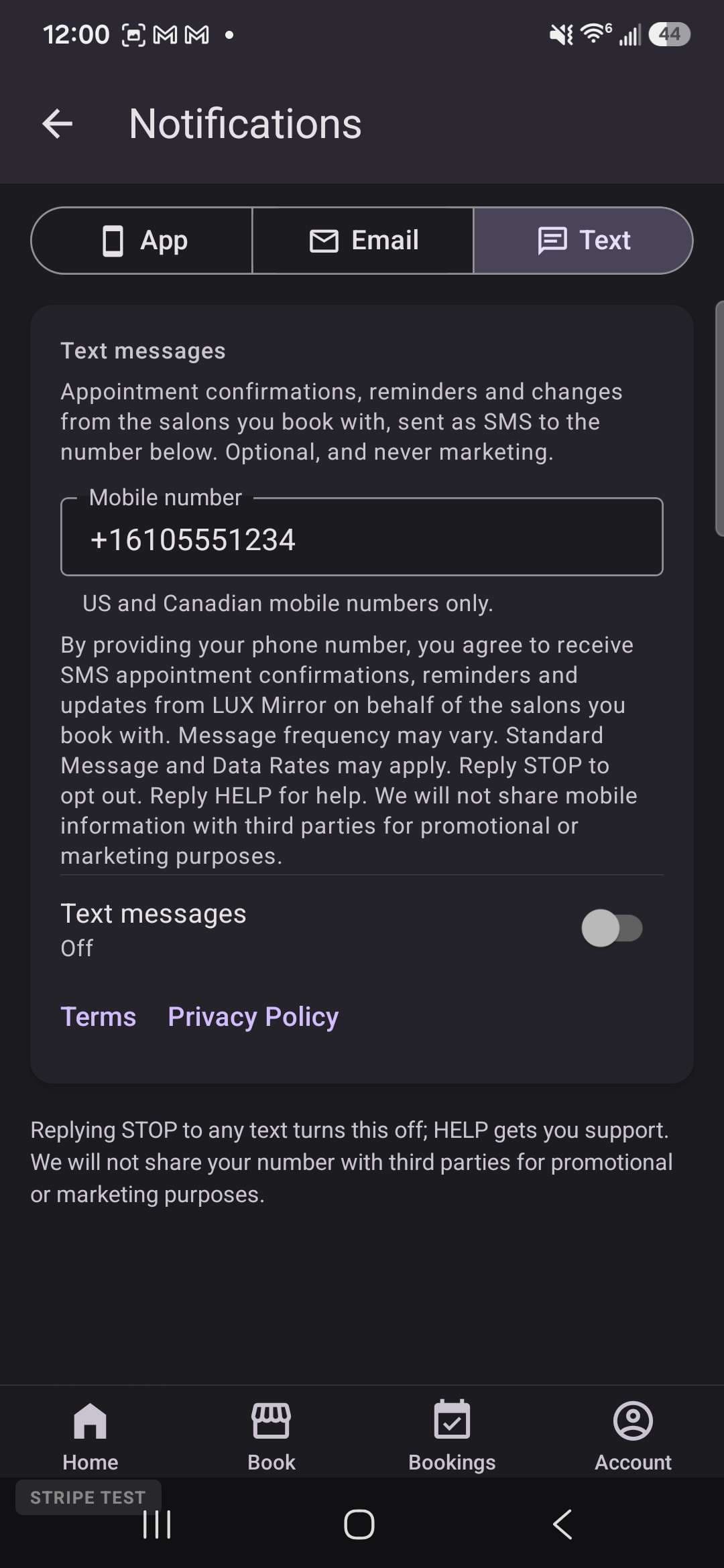
- Settings › Notifications › Text. Enter your mobile number in the Mobile number field, read the disclosure shown beneath it, and turn the Text messages switch on. The switch is off until you turn it on.
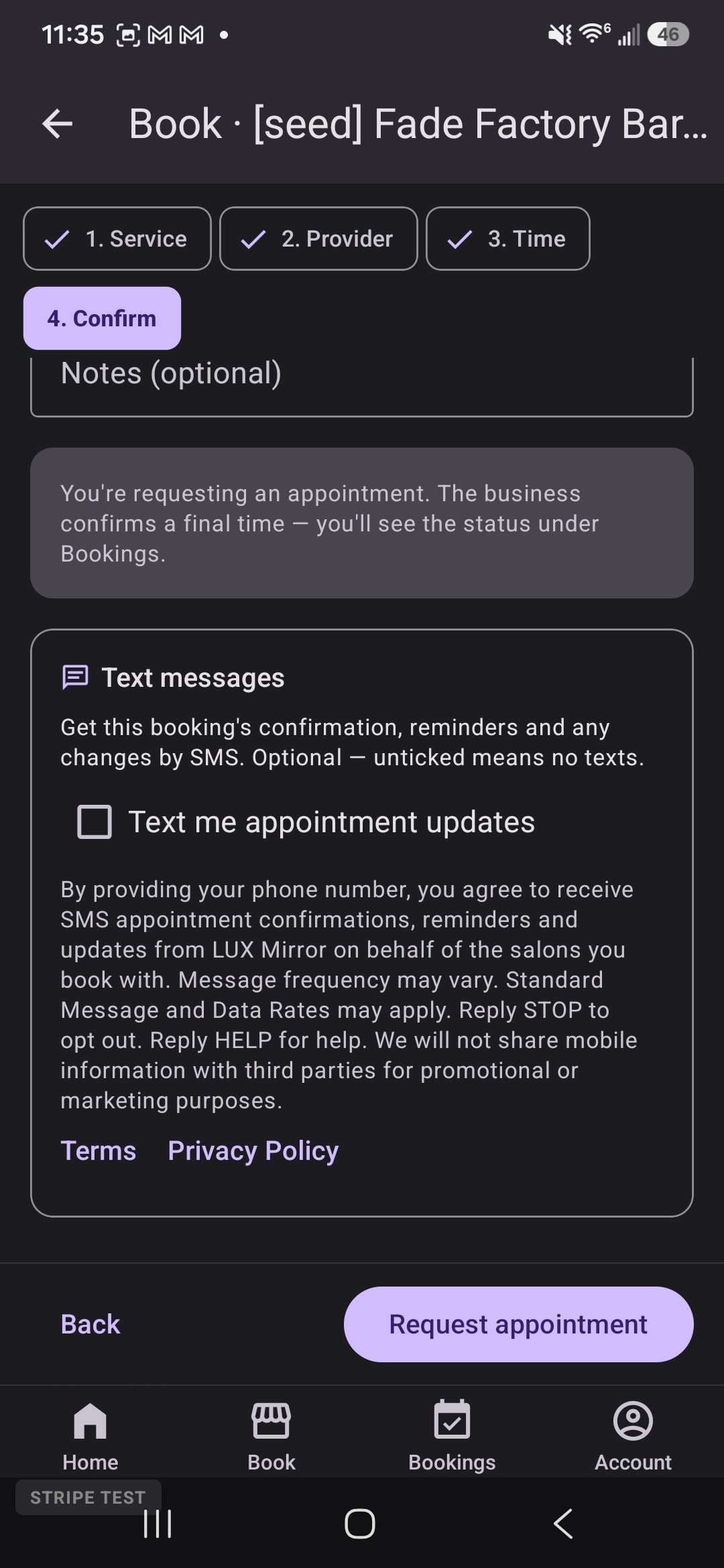
- When you confirm a booking. The confirmation step shows a separate, unticked box, Text me appointment updates, with the same disclosure beneath it and a field for your mobile number if we do not have one. Leaving it unticked books the appointment with no texts.
The box is never pre-ticked, it is separate from anything else you agree to, and texting is not a condition of booking. When you opt in we record the time, which screen you used, and the version of the wording you agreed to.
The wording you agree to
By providing your phone number, you agree to receive SMS appointment confirmations, reminders and updates from LUX Mirror on behalf of the salons you book with. Message frequency may vary. Standard Message and Data Rates may apply. Reply STOP to opt out. Reply HELP for help. We will not share mobile information with third parties for promotional or marketing purposes.
Links to our Terms of Service and Privacy Policy sit directly under the disclosure in the app.
Stopping, and getting help
- To stop: reply STOP to any message, or turn text messages off in the app's Settings. You get one final confirmation and nothing more.
- To start again: reply START, or turn the switch back on.
- For help: reply HELP, email support@theluxmirror.com, or call 610-718-7528.
Message frequency depends on how often you book. Standard message and data rates may apply; check with your carrier. Carriers are not liable for delayed or undelivered messages.
Your number and your consent
We use your mobile number only to send the messages above and to honour your STOP. We will not share mobile information with third parties for promotional or marketing purposes. Full detail is in the text-messages sections of our Privacy Policy and Terms of Service.